Home » News » Company News
Smart CT PT Analyzer with USB Output for Easier Test Data Handling
A Smart CT PT Analyzer with USB Output can make test data easier to transfer, organize, and review. However, not every CT/PT analyzer supports USB data export, and the presence of a USB interface does not necessarily mean that test results can be transferred directly to a computer. For testing laboratories, transformer manufacturers, and power utilities, understanding these differences is important when selecting equipment.
USB data export becomes particularly useful when technicians need to manage large numbers of test records. Instead of relying only on the instrument display or manually recording measurement results, they can transfer stored data for further review and documentation. The following sections explain how this function works, what to check before purchasing, and how it fits into a practical CT/PT testing workflow.
Why USB Output Matters in CT PT Testing
CT and PT testing generates different types of measurement data, including transformation ratios, phase angles, excitation characteristics, winding resistance, and secondary burden. When testing multiple transformers or processing large batches of products, managing these records becomes an important part of daily work.
Without a convenient data export method, technicians may need to review results directly on the instrument or manually transfer information into separate records. This can increase administrative work and make historical data retrieval less convenient.
USB data export offers several practical advantages:
- Easier data transfer: Stored test results can be exported to a USB storage device for further use.
- More organized records: Testing teams can arrange exported files according to transformer identification numbers, batches, or test dates.
- Convenient data review: Results can be viewed and processed on a computer when the instrument supports compatible analysis software.
- Improved traceability: Keeping electronic test records makes it easier to retrieve previous measurements and review testing history.
For manufacturers, this is useful when managing factory inspection records. Testing laboratories can also benefit when handling multiple customers and different transformer specifications.
However, these advantages depend on the analyzer’s actual data management capabilities. USB connectivity alone does not guarantee that all these functions are available.
Not Every CT PT Analyzer Comes with USB Data Output
USB data export is a feature that should be confirmed when selecting a CT/PT analyzer. Different instruments provide different approaches to test result storage and transfer.
Some analyzers display measurement results without providing a dedicated data export function. Others may support internal storage but require a specific connection or software to retrieve the records.
It is therefore important to distinguish between several USB-related capabilities.
USB Interface for Peripheral Devices
Some instruments use USB interfaces to connect peripheral devices such as keyboards or mice. This makes operation more convenient, but it does not automatically mean that test data can be exported through the same interface.
USB Disk Data Export
An analyzer with USB disk export functionality allows users to transfer stored test results to a USB flash drive.
This provides a practical way to move test records between the instrument and a computer without manually entering every measurement.
Computer-Based Data Analysis
Some advanced analyzers also provide dedicated software for reviewing, converting, comparing, and evaluating exported test data.
This is a separate capability from simply exporting files. Buyers should confirm whether the software is included, which data formats it supports, and what analysis functions are available.
Before purchasing, we recommend checking the instrument’s user manual or confirming these functions with the manufacturer rather than assuming that every USB-equipped analyzer supports data export.
How USB Data Export Works in a Smart CT PT Analyzer
For an analyzer that supports USB disk export, the process is generally straightforward. The exact operating steps depend on the instrument model.
Complete the Required Tests
First, perform the required CT or PT measurements according to the testing procedure.
Depending on the instrument, these may include transformation ratio, polarity, excitation characteristics, winding resistance, and burden measurements.
Save the Test Results
After completing the measurements, save the results in the instrument’s internal memory if the model provides this function.
It is useful to establish a consistent naming and identification method for different transformers or testing batches.
Export Data Through a USB Device
Connect a compatible USB flash drive to the designated interface and follow the instrument’s instructions to export the stored test records.
Check the supported storage device specifications and file export procedure before operation.
Review the Exported Records
Transfer the exported files to a computer for storage and further review.
If the manufacturer provides dedicated analysis software, use it to access the supported functions, such as data conversion, comparison, and report preparation.
This process helps separate measurement work from subsequent record management, making it easier for testing teams to handle large volumes of information.
Organizing Large Volumes of CT PT Test Data
Exporting test results is only the first step. A consistent record management method is equally important, especially for organizations that conduct repeated testing.
Organize Records by Transformer Identification
Each CT or PT should have a clear identification number or model reference. This makes it easier to associate measurement results with the correct equipment.
For manufacturers, records can be grouped by product model, production batch, or serial number. Testing laboratories may organize them by customer or testing project.
Keep Records According to Test Dates
Saving test records with clear dates helps technicians distinguish between factory inspection, commissioning, routine testing, and subsequent reinspection.
This is particularly useful when the same transformer is tested at different stages of its service life.
Maintain Different Test Categories
When an analyzer supports multiple test functions, organizing records by test type can make later retrieval easier.
For example, teams may keep separate categories for:
- Transformation ratio and phase-angle measurements.
- Excitation characteristics and knee-point results.
- Secondary winding resistance.
- Secondary burden.
- Polarity verification.
A consistent structure reduces the time spent searching for individual results and makes documentation more manageable.
Reduce Manual Data Entry
Manual transcription creates opportunities for incorrect values, missing information, and inconsistent record formats.
Exporting electronic test data can reduce the amount of information that technicians need to enter manually. However, exported records should still be checked to ensure that transformer identification and test conditions are correct.
How Exported Test Data Supports Comparison and Analysis
Electronic test records become more valuable when they can be reviewed alongside previous measurements.
Compare Results from Different Testing Periods
For the same transformer, historical records can help technicians compare measurements taken during factory inspection, commissioning, and later maintenance.
Changes in CT/PT test results may indicate differences that require further investigation. However, comparisons should account for test conditions, instrument settings, and applicable measurement requirements.
Review Different Products or Production Batches
Manufacturers can use exported data to review testing results across different products or production batches.
This can support internal quality checks and help identify measurements that require additional verification.
Support Technical Evaluation
When unusual results appear, technicians can review the relevant records and compare them with rated values or applicable technical requirements.
For example, transformation ratio errors, phase displacement, and excitation characteristics provide different information about CT performance.
Exported data makes these results easier to retain and review, but USB data transfer itself does not perform automatic fault diagnosis. Technical evaluation still depends on the measurement functions and analysis tools available.
For a closer look at interpreting CT measurement results, see our guide on how to read CT analyzer test results.
What to Check Before Buying a CT PT Analyzer with USB Output
When comparing analyzers, USB connectivity should be evaluated alongside internal storage and software capabilities. The following factors help determine whether a model meets your data management requirements.
Confirm the Actual USB Function
Check whether the USB interface supports data export, peripheral connections, or other communication functions.
If exporting test results is your priority, confirm that the instrument specifically supports USB disk data export.
Check Internal Storage Capacity
Internal storage determines how many test records can be retained before they need to be transferred or managed elsewhere.
For organizations conducting repeated testing, storage capacity can influence how frequently data needs to be exported.
Review Exported File Formats
Check whether exported data can be opened and processed using commonly available software or requires a dedicated application.
The ability to preserve, convert, and review measurement records can be more important than the presence of a USB interface alone.
Confirm Computer Software Support
If computer-based analysis is required, ask whether the analyzer includes compatible software.
Also check which functions are available, such as report preservation, data comparison, conversion, and evaluation.
Match Testing Functions to Actual Requirements
Data management should not be the only purchasing consideration. The analyzer must also cover the required CT/PT measurement functions, accuracy, and testing ranges.For a broader look at measurement capabilities and equipment selection, see our article on CT analyzer testing and test result evaluation.
CTA-1000E for CT PT Testing and USB Data Export
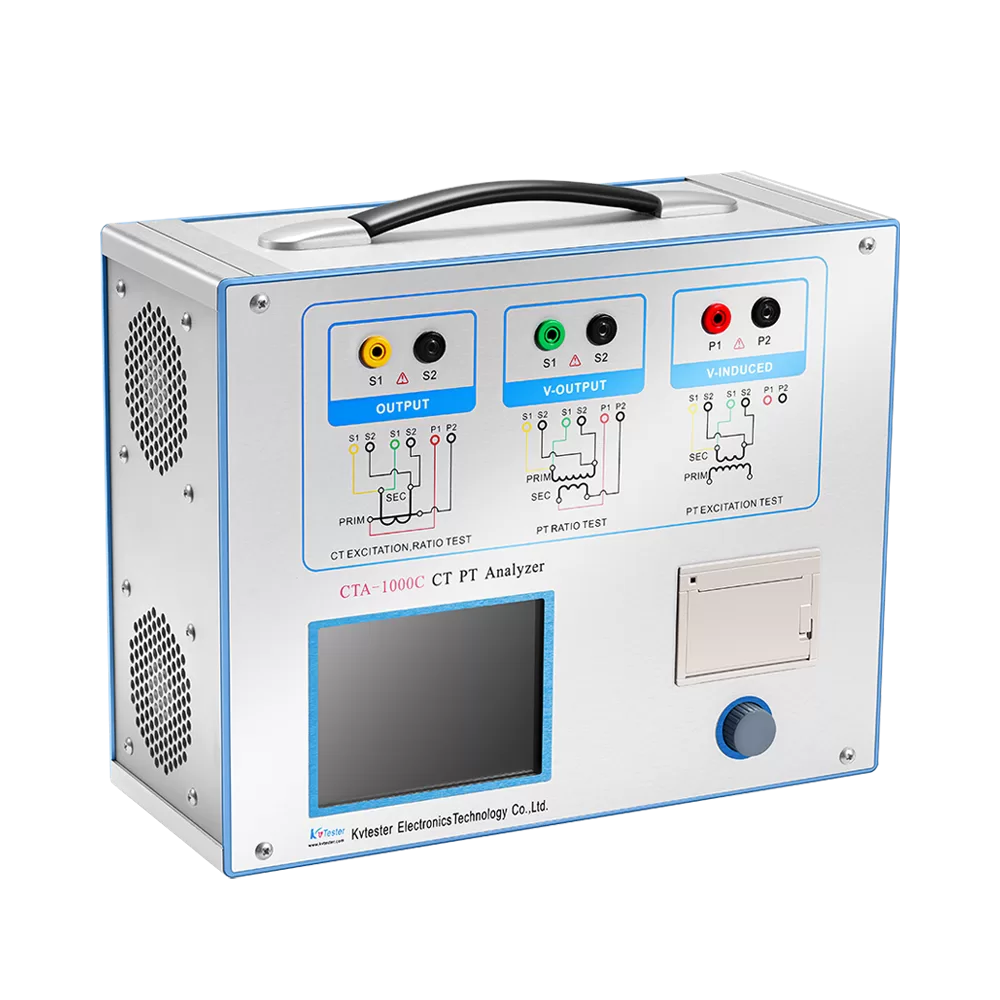
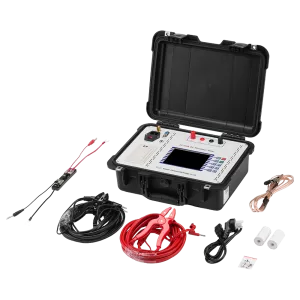
For testing teams that need both comprehensive CT/PT measurements and organized electronic records, our CTA-1000E CT PT Analyzer provides integrated testing and data management functions.
One of its practical advantages is the combination of internal data storage, USB disk export, and computer-based analysis software.
Storage for Up to 10,000 Test Records
The CTA-1000E is equipped with a large-capacity solid-state drive that can store up to 10,000 groups of test data. Stored records are retained during power failure, helping protect accumulated testing information.
USB Data Export and Computer Analysis
The instrument supports USB disk export, allowing users to transfer test results for further processing. Its background analysis software supports test report preservation, conversion, analysis, comparison, and evaluation.
These functions help testing teams manage measurement records beyond the instrument’s display and maintain more organized electronic documentation.
CT/PT Measurement Capabilities
In addition to data management, the CTA-1000E supports a wide range of CT and PT testing functions.
Its main specifications include:
- CT ratio measurement range: 1–40,000, accuracy ±0.05%.
- PT ratio measurement range: 1–40,000, accuracy ±0.05%.
- DC resistance measurement range: 0–300 Ω.
- Secondary burden measurement range: 0–1,000 VA.
- Phase measurement range: ±2 minutes, with 0.5-minute accuracy.
- Output capability: 0–180 Vrms, 12 Arms, and 36 A peak.
By combining multiple measurement functions with data storage and export capabilities, the CTA-1000E is suitable for testing teams that need to manage both measurement tasks and electronic test records.
Conclusion
USB output can make CT/PT testing records easier to transfer, organize, and review, particularly for manufacturers and testing laboratories handling large volumes of measurement data. However, USB connectivity should not be treated as a standard feature of every CT/PT analyzer. Buyers need to confirm whether the instrument supports actual test data export, sufficient internal storage, and compatible computer analysis software.
At Kvtester, we understand that different testing environments have different data management requirements. If you need more information about USB data export, analyzer configurations, or CT/PT testing capabilities, contact our team. We can help you identify a suitable testing solution based on your measurement and data management needs.
Related Products
Latest News
-
 2026-11-05Short Circuit Impedance Tester for Effective Transformer Maintenance
-
 2026-11-04Transformer Capacity and Load Tester: Functions & Selection
-
 2026-11-04Anti-interference CT Tester: How to Improve Measurement Stability in the Field
-
 2026-11-04Automatic CT Tester with Data Logger: Improving Grid Commissioning Efficiency
-
 2026-11-03Transformer Tester for Maintenance: Essential Tests